
Your browser does not support JavaScript or its disabled!
Please turn it on, or be aware that some features on this website will not work correctly.
Server online 8 online World: Beta v1Beta v2 Login Register
OurTibia
Server start 6 Nov · 18:00 CET13days04hours30min08sec

A familiar world.
A new adventure.

News

  • 17.10.2026Beta v2 started with the real Global rates
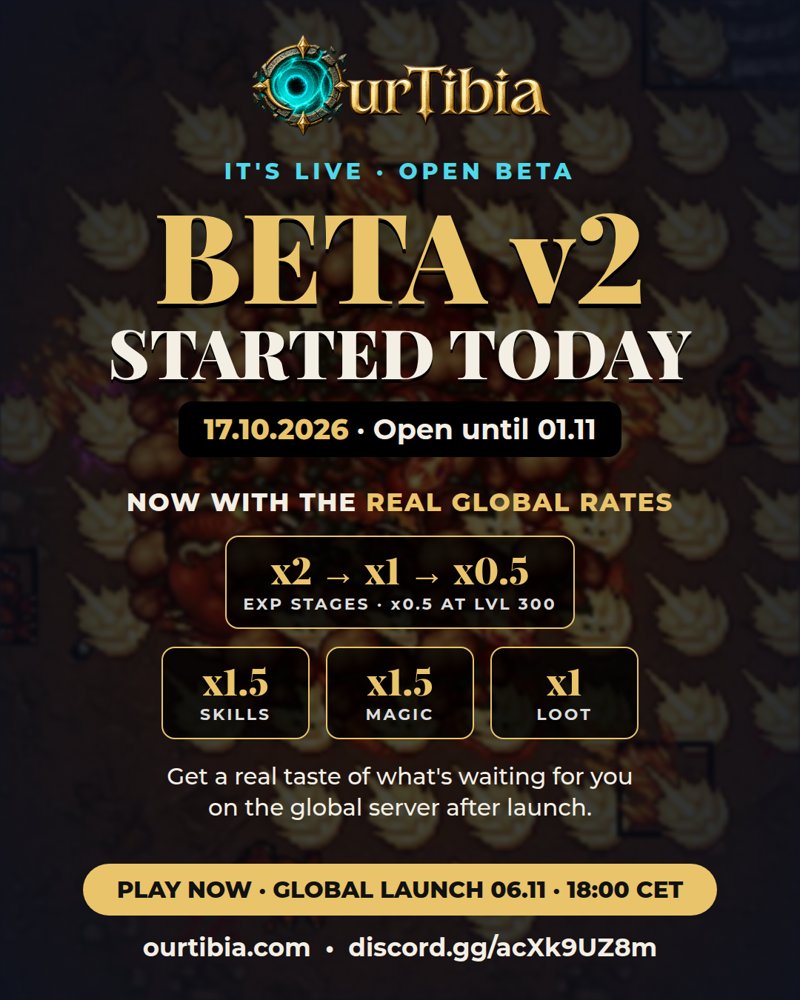
    Beta v2 started on 17.10.2026 with the real Global rates - experience x2 → x1 → x0.5, skills and magic x1.5, loot x1, start on Rookgaard. Open until 1 November, Global launch 6 November, 18:00 CET.
  • 18.10.2026Global launch: 6 November, 18:00 CET
    The main server starts on 6 November 2026 at 18:00 CET (17:00 UTC). The beta test runs until 1 November; after the beta, account registration opens for everyone.
  • 01.10.2026Three new boosted creatures every day at 09:00 - check the...
    Three new boosted creatures every day at 09:00 - check the sidebar!

My account

Beta v2 started today - now with the real Global rates
It's live · Open beta

Beta v2 started today

17.10.2026 · open until 1 November

Now with the real Global rates - get a real taste of what is waiting for you on the Global server after the launch.

x2 → x1 → x0.5Experience stages · x0.5 at level 300
x1.5Skills
x1.5Magic
x1Loot

New characters start on Rookgaard without a vocation - choose your vocation and town at The Oracle from level 8. One account for both worlds: choose Beta v2 when you create the character.

Global launch 6 November · 18:00 CET

Beta test runs until 1 November 2026! Rewards: top 3 levels - store points + a $200 USD prize pool ($100 / $60 / $40), top 10 testers - level × store points, so it is worth taking part. After the beta, account registration opens for everyone and the official start is on 6 November.
Every character starts without gold. When you reach level 20 you receive 3 crystal coins as a beta reward. Report bugs on our Discord - thank you for helping!

Roadmap

  1. September 2026Classic world

    Real map, quests, NPCs, house system and the OurTibia client with in-game wiki.

  2. October 2026Open beta test

    Balance, bug hunting and your feedback. 3 crystal coins at level 20 and 5,000 store points for every tester.

News icon
2.10.2026 -
Changelog #6 (02.10.2026)

The sixth batch of beta fixes.

  • Reward chests: a copy of the chest no longer ends up in your backpack. An empty chest says it is empty, and rewards from chests can be moved and dropped normally.
  • A box from this bug that is already in your backpack can be dropped after logging in again.
  • Rashid trades with everyone - you no longer need the Travelling Trader quest to sell to him (e.g. hibiscus dress).
  • The GM command /i works for every GM character and always tells you what it created.

News icon
2.10.2026 -
Changelog #5 (02.10.2026)

The fifth batch of beta fixes.

Items

  • Upgrading an item (+) raises the ranges and values of all attributes by 5% per level, not just one.

Balance

  • exori con -15% damage, exori san -10%, exori hur +30%.
  • Rare+ monsters appear 2x more often (1 in 45 on average).
  • Monsters recalculate their path immediately when the target moves - they no longer get stuck or lose their target.

Movement and controls

  • Map click: your character no longer stops when a monster blocks the path or when you cast a spell - the path is recalculated.
  • Hotkeys on Page Up, Page Down, Home, End, Insert and Delete also work with chat enabled.

World

  • The ship from Venore to Darashia works again.
  • The shortcut to Banuta (magic field) works after buying access in the Store - also for characters who bought it earlier.

News icon
2.10.2026 -
Changelog #4 (02.10.2026)

The fourth batch of beta fixes.

Graphics

  • Dynamic lights are disabled - no more glowing tiles around NPCs and monsters, blue squares or wrongly lit ground. This also affects the DirectX client, which could freeze because of it.
  • Rarity frames on the ground no longer flicker.

Global boosts

  • Active global boosts (Experience, Loot, Skill, Spawn, Loot Rarity, Monster Rarity) are shown in the bottom-left corner of the game screen, above the chat - with an icon and time remaining. Hover to see a description.